Office Chair Features Worth Paying For—and the Ones You Can Skip
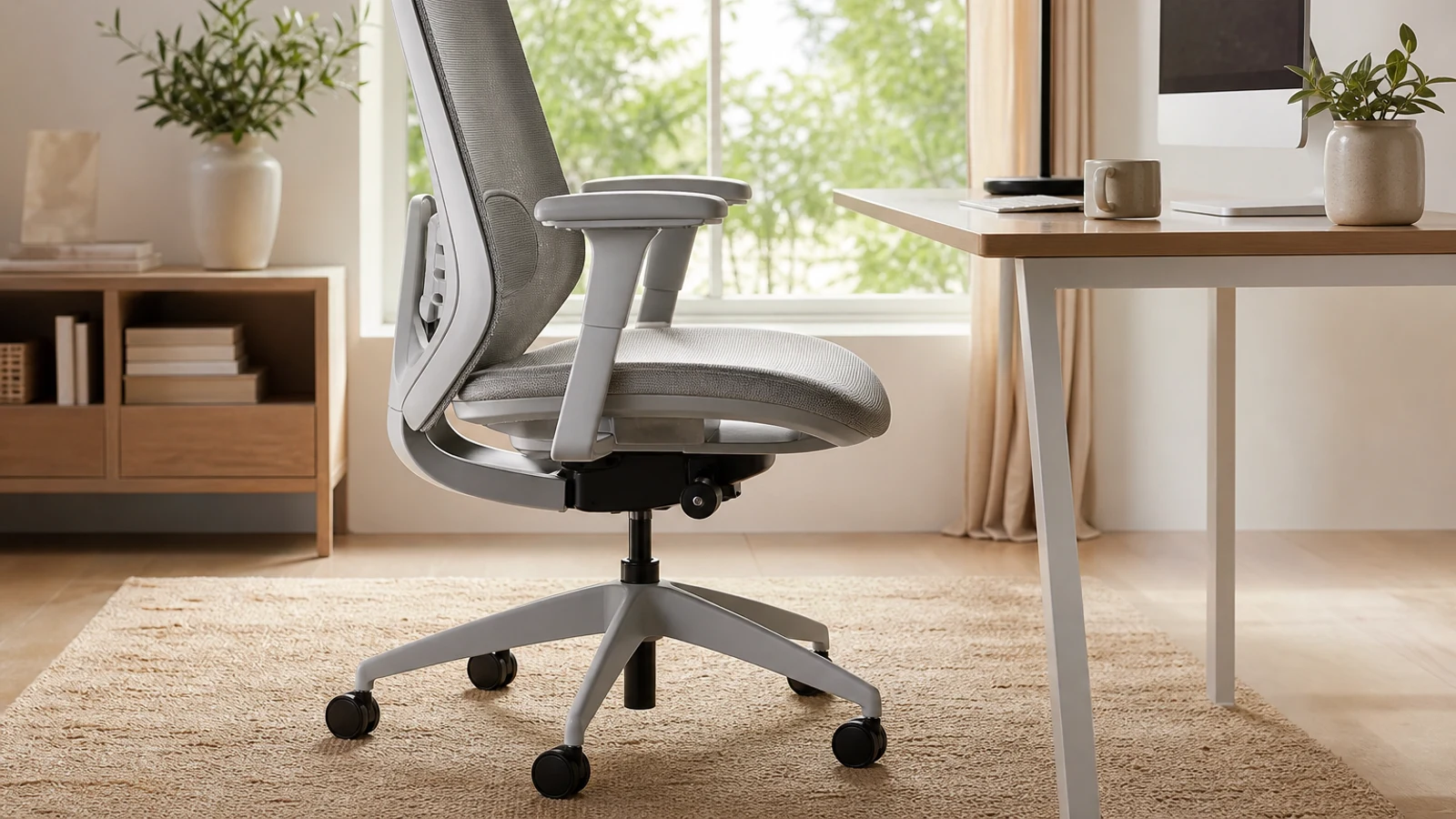
Features Worth Paying For Versus Features You Can Usually Skip
| Decision Point | Usually Worth Paying For | Often Optional |
|---|---|---|
| Seat fit | Adjustable seat height; seat depth if your legs or torso are notably shorter or longer | Oversized seat or extra-wide pan without a clear fit reason |
| Back support | Lumbar support that contacts the right area and a backrest that supports upright and reclined positions | Aggressive fixed lumbar bulges or complicated support that cannot be adjusted |
| Movement | Smooth recline with usable tension control and a stable upright setting | Very deep recline or a footrest if you rarely lean back |
| Arm support | Height adjustment; width or pivot adjustments when your desk, shoulders, or tasks require them | 4D or 5D movement that drifts, rattles, or does not improve your keyboard and mouse position |
| Head support | A height- and angle-adjustable headrest for frequent reclining or reading | A headrest for upright keyboard work if it pushes your head forward |
| Build quality | Reliable mechanism, stable base, replaceable parts where available, and a meaningful warranty | Luxury upholstery, decorative stitching, or branding without better construction |
An office chair can be expensive without being a good fit. The useful question is not how many adjustments a chair has, but whether those adjustments solve a problem you actually have: a seat that cuts into your knees, a backrest that loses contact when you recline, armrests that force your shoulders upward, or a mechanism that becomes loose after daily use.
For most home-office buyers, the biggest gains come from fit and movement. Seat height, seat depth, back support, recline, and basic armrest adjustment affect how easily you can maintain a comfortable working position. Premium features become worthwhile when they accommodate your body dimensions, your work style, or many hours of daily use. They are harder to justify when they merely add complexity.
This guide separates the features that deserve budget from those that are mostly marketing, then explains when the answer changes for shorter and taller users, shared workspaces, reclining users, and people with limited desk space.
Start With Fit, Not Feature Count
A chair should let you sit back against the backrest while keeping your feet supported and leaving space behind your knees. That basic fit matters more than whether the chair has 3D, 4D, or 8D armrests. A chair that cannot be adjusted to your proportions may feel impressive in a product listing but frustrating at your desk.
Before shopping, measure the height of your desk and note whether its underside leaves room for armrests. Consider your approximate seated height, whether you tend to sit upright or reclined, and whether more than one person will use the chair. Multiple users generally benefit from more adjustment because a fixed configuration has to compromise between different bodies.
Use these checks when comparing any chair: • Your feet should rest on the floor or a suitable footrest. • The seat should support your thighs without pressing into the backs of your knees. • Your shoulders should remain relaxed when your hands are on the keyboard and mouse. • The backrest should stay in contact with your back as you change position. • The chair should fit under or close enough to your desk for comfortable keyboard use.
Features Usually Worth Paying For
Adjustable Seat Height
This is the baseline adjustment. It allows you to position your knees and feet comfortably while bringing your arms to the desk. It is particularly important when the desk is not height-adjustable. A chair with a wide height range can also help if users of different heights share the workspace.
Do not assume the tallest possible range is automatically better. If raising the chair makes your feet dangle, you may need a footrest or a different desk setup. Likewise, a very low minimum height matters more to shorter users than to someone with a tall desk and long legs. Pay for a height range that suits your workstation, not an impressive number in isolation.
Adjustable Seat Depth
Seat-depth adjustment is one of the most useful upgrades for people who struggle to fit standard chairs. It lets you move the seat pan forward or backward so your back can remain supported without the front edge pressing behind your knees. Taller users may need additional depth to support more of the thighs; shorter users often need a shorter setting.
This feature is worth prioritizing if you are notably short or tall, regularly feel pressure behind your knees, or find that a chair forces you to perch forward. It is less essential when a fixed seat already leaves comfortable space behind your knees and keeps your back against the backrest.
A sliding seat pan is not automatically better than a well-designed fixed seat. Check the actual seat-depth range, the shape of the front edge, and whether the seat remains comfortable at both ends of its adjustment.
Useful Lumbar Support
Lumbar support is worth paying for when it can be positioned and adjusted to your lower back rather than simply protruding aggressively. A height-adjustable support is often more useful than a large, fixed cushion because people’s preferred contact point varies. Depth adjustment can help if a chair feels either flat or too forceful.
The goal is not to lock your back into one rigid posture. A good backrest should support upright work and allow comfortable movement or recline. If the lumbar mechanism loses contact when you lean back, it may be less useful than a simpler backrest that follows your movement naturally.
Try to distinguish genuine adjustability from a decorative knob. You should be able to feel a meaningful change without the support becoming painful. If you already use a small cushion successfully, a chair with a basic backrest and a good return policy may be a better value than a complicated system you cannot fine-tune.
A Comfortable Recline Mechanism
A backrest that reclines smoothly can reduce the need to hold one rigid position throughout the day. Look for a mechanism with controllable resistance or tension, a stable upright position, and movement that keeps the backrest supportive as you lean back. The exact maximum angle is less important than whether the chair feels controlled through the range you will actually use.
Recline matters most for people who alternate between typing, reading, video calls, and thinking. It is also valuable if you use the chair for longer sessions and naturally change posture. A chair that only locks upright may be acceptable for short administrative tasks, but it offers less flexibility for all-day work.
Do not pay extra for a very deep recline simply because the number looks impressive. Extreme angles can require more room behind the chair, may collide with walls, and are not useful if you remain upright at the keyboard.
Armrests That Solve a Real Problem
Height-adjustable armrests are generally worth paying for because they can support the forearms while allowing the shoulders to relax. They also help compensate for desks that are slightly too high or low. The armrests should not force you to sit too far from the keyboard or prevent the chair from sliding under the desk.
Width adjustment or inward and outward movement is valuable when your shoulders are narrow, broad, or sensitive to reaching. Pivoting armrests can help if you switch between keyboard work, writing, drawing, and controller use. Depth adjustment is useful when you need to bring support closer to the desk without moving the entire chair.
The number of dimensions is not the main point. An armrest that moves easily but will not stay in place is less useful than a stable 2D design. Check whether the arm pads are comfortable, whether they fit beneath your desk, and whether you can approach the keyboard without leaning forward.
Features That Are Often Safe To Skip
Headrests
A headrest is mostly a reclining feature, not a requirement for upright computer work. It can be worthwhile if you frequently lean back for reading, calls, or breaks and can adjust it so it supports your head without pushing it forward. It is less useful if you type upright all day or if the headrest interferes with your natural neck position.
A fixed headrest is particularly risky because it may contact the wrong part of your neck. If you want one, prioritize height and angle adjustment, then confirm that it can move out of the way when you are working forward.
4D And 5D Armrests
Extra armrest movement is not inherently bad, but it often has diminishing returns. Most users can achieve a comfortable keyboard position with height adjustment plus one additional movement, such as width, pivot, or depth. More dimensions make sense for people who change tasks often or have specific shoulder and wrist positioning needs.
Skip the upgrade when the mechanism feels loose, the pad rotates accidentally, or the added movement does not help you get closer to the desk. It is better to have firm, padded armrests that stay aligned than a long feature list that requires constant correction.
Footrests And Built-In Leg Supports
A retractable footrest can be useful for occasional reclining, but it is rarely a substitute for correct seat height and desk setup. Many users will get more value from a separate footrest if their feet cannot reach the floor after raising the chair to desk height. A built-in footrest can also add bulk, cost, and another component that may fail.
Consider one if you use the chair for reading or media, recline frequently, or want a temporary leg-support position. Skip it if your primary activity is upright typing and your desk already allows a comfortable foot position.
Massage, Heat, Speakers, And Other Extras
Integrated massage, heating, speakers, cup holders, phone holders, and lighting are convenience features rather than ergonomic essentials. They can be enjoyable, but they do not correct poor seat depth, bad armrest height, or inadequate back support. Extra electronics may also complicate cleaning, repairs, and long-term reliability.
A chair with fewer integrated features may be easier to maintain and easier to fit into a professional room. If you want these extras, treat them as entertainment or comfort upgrades and evaluate them separately from the chair’s core support.
Mesh, Foam, And Upholstery: Choose For Your Environment
Mesh can improve airflow and may be appealing in warm rooms, but its feel depends on tension, weave, and frame design. A mesh seat may feel firm or create pressure for some users. Foam or upholstered seats can feel more forgiving and may be preferable if you change positions less often, though they can retain more heat and eventually compress.
The right choice depends on your climate, clothing, cleaning habits, and sensitivity to pressure. Do not assume mesh is automatically more ergonomic or that a thick cushion is automatically more comfortable. Pay attention to the front edge, seat firmness, and how the surface feels after more than a few minutes.
When A Cheaper Chair Is The Better Buy
You may not need a premium ergonomic chair if you work at the computer for short periods, already have a supportive setup, or can make a simple chair fit correctly. A basic chair with adjustable height, a comfortable seat, a supportive backrest, and stable construction can be enough for occasional use.
Do not upgrade just because a chair has more adjustment points. First check whether your discomfort comes from the desk, monitor height, keyboard position, or lack of movement. A chair cannot compensate for a monitor that is too low or a desk that forces your shoulders upward.
You can usually skip an expensive upgrade when: • You sit for fewer than a few hours at a time. • Your current chair supports your back and does not cause pressure points. • The new chair offers mostly cosmetic or entertainment features. • You cannot test the chair and the seller has a poor return policy. • The chair does not fit under your existing desk.
Go Deeper Before You Choose
For more context, see home office essentials.
Research References
These sources informed the factual background for this guide. BuyingView applies its own editorial judgment to the purchase decision.
Questions & Answers
Useful follow-up questions that often change the buying decision.
What is the most important office-chair feature?
Fit is more important than any single feature. For many users, the priorities are adjustable seat height, a seat that does not press behind the knees, useful lumbar support, and a backrest that supports both upright work and comfortable recline.
Are adjustable lumbar supports worth paying for?
Usually, if the support can be positioned to match your lower back and does not feel overly aggressive. A height- or depth-adjustable design is generally more useful than a large fixed bulge, but a simple backrest can still work well if it fits your body.
Do I need a headrest for working from home?
Not necessarily. Headrests are most useful when you recline, read, take calls, or use the chair for breaks. They are optional for upright keyboard work and can be counterproductive if they push your head forward.
How many armrest adjustments do I need?
Height adjustment is the essential starting point. Width, pivot, or depth adjustment can be worthwhile if your shoulders, desk, or tasks require a more precise position. More dimensions are not automatically better if the armrests move unintentionally or prevent the chair from approaching the desk.
Is mesh better than a padded office-chair seat?
Neither is universally better. Mesh may feel cooler and more flexible, while foam or upholstery may feel softer and more forgiving. Compare seat pressure, front-edge design, heat retention, cleaning needs, and your preferred firmness.
Should I buy an office chair with a footrest?
Only if you regularly recline or want the chair to double as a reading or relaxation seat. For ordinary desk work, a separate footrest can solve foot-support issues more simply and may be useful if your chair must be raised to match a tall desk.
What should I check before buying an office chair online?
Check the seat-height and seat-depth ranges, armrest dimensions, overall chair width, desk clearance, weight rating, warranty coverage, return period, replacement-part policy, and whether the chair can be assembled and returned without excessive cost.