Full-Size Vs TKL Mechanical Keyboard: Which Layout Fits Your Desk?
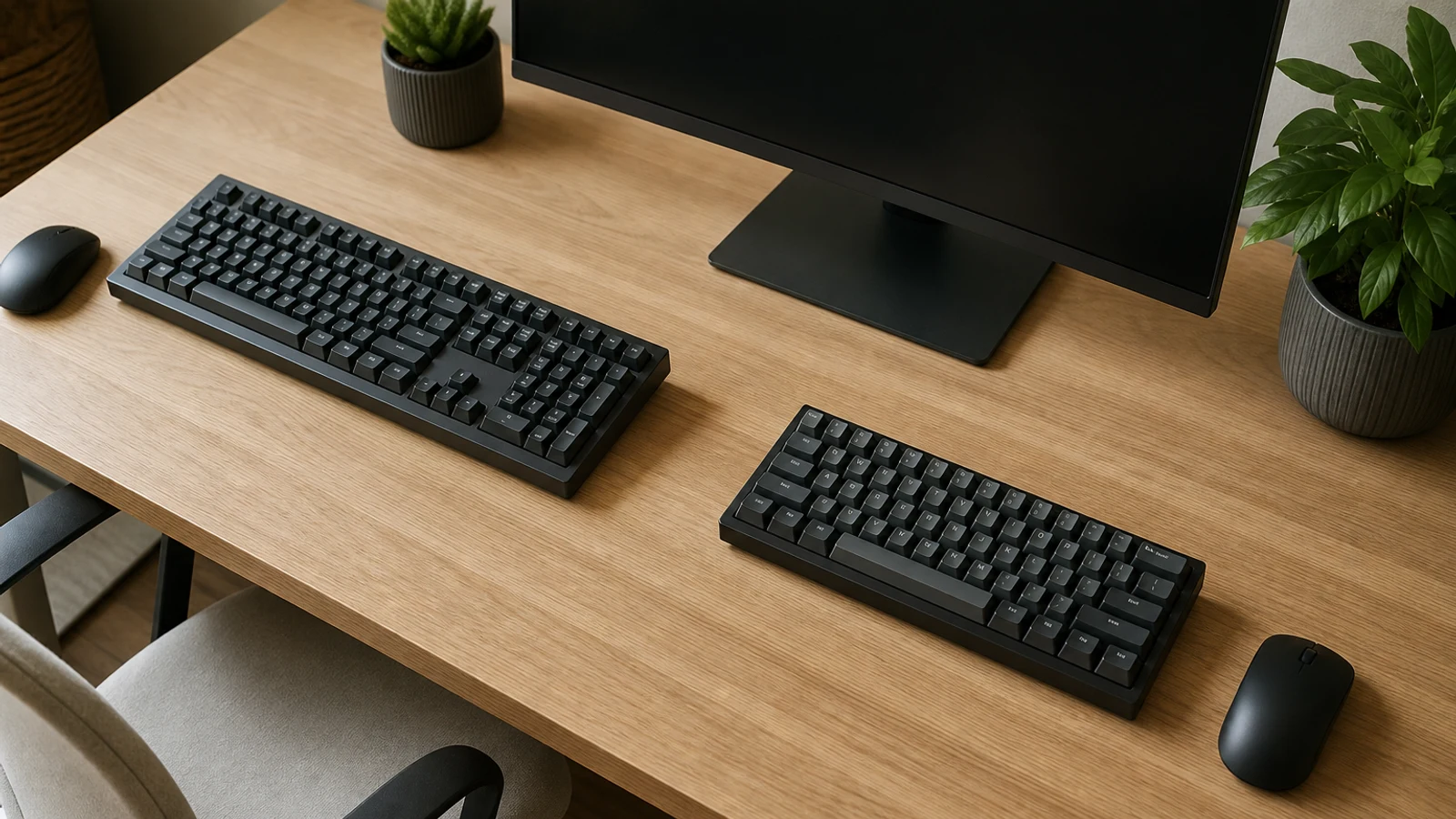
Full-Size Vs TKL At A Glance
| Decision Point | Full-Size | TKL |
|---|---|---|
| Typical layout | Usually 104 keys in the standard U.S. layout | Usually about 87 keys; removes the dedicated numpad |
| Number entry | Fast, familiar, and always available | Requires the top number row or a separate keypad |
| Desk footprint | Wider and more likely to crowd the mouse | Narrower and easier to position with the mouse nearby |
| Gaming space | Can limit room for wide mouse movements | Leaves more horizontal space for the mouse |
| Best for | Data entry, spreadsheets, accounting, and traditional office setups | General typing, programming, gaming, and smaller workstations |
| Flexibility | One fixed all-in-one board | Can be paired with a separate numpad only when needed |
The full-size versus TKL decision looks simple: one keyboard has a number pad and the other does not. In daily use, however, that missing cluster changes how you arrange your desk, where your mouse sits, how quickly you enter numbers, and whether the keyboard feels like a complete workstation or a more focused typing tool.
A full-size mechanical keyboard normally includes the alphanumeric section, function row, arrow keys, navigation keys, and a dedicated numeric keypad. TKL means tenkeyless: it keeps the main keyboard layout and removes the separate number-pad section. Both layouts can use the same mechanical switch types, keycap profiles, connection methods, lighting, and software features, so the main difference is physical layout rather than typing technology.
For most shoppers, the best starting question is not “Which layout is better?” but “What do my hands do repeatedly?” If you enter numbers for hours at a time, the numpad can be a genuine productivity tool. If you mostly write, browse, code, or play games, the extra width may provide little direct benefit.
What You Give Up With A TKL Keyboard
The defining trade-off is the dedicated numeric keypad. A TKL board generally retains the standard letter keys, number row, function keys, arrow keys, and navigation cluster, but it removes the right-side block containing keys such as 0, decimal, plus, minus, Enter, and the other calculator-style inputs.
That difference matters most when numbers are a primary input rather than an occasional task. A top-row number key can enter numbers, but it does not replicate the hand position, spacing, or shortcut patterns of a dedicated keypad. For people accustomed to touch-typing numeric data, moving between a source document and the keypad can be faster and less visually demanding than using the number row.
A TKL also changes how you use some workflows that rely on keypad-specific commands. Certain applications, games, accessibility setups, and legacy shortcuts distinguish between the top-row number keys and the numeric keypad. Check your software or game controls before switching if those commands are important to you.
When A Full-Size Keyboard Makes More Sense
Frequent numeric entry
A full-size board is the straightforward choice for accounting, bookkeeping, inventory, order processing, finance, spreadsheet-heavy work, and any job where figures are entered repeatedly. The integrated numpad stays in a consistent position and does not need a cable, Bluetooth connection, battery, or extra desk space of its own.
It is also useful if multiple people share a workstation and expect a conventional layout. A full-size keyboard requires less explanation, and every common key is visible without layers, remapping, or a separate accessory. That convenience can outweigh the extra width when the desk is large enough and the mouse is not being pushed uncomfortably far away from the body.
Choose Full-Size If
- You enter prices, quantities, dates, measurements, or financial figures throughout the day
- You work in spreadsheets often enough that a separate keypad would be inconvenient
- You use keypad-specific shortcuts or applications
- You share a computer with people who expect a traditional keyboard
- You have enough desk or tray width to place the mouse comfortably
- You prefer an all-in-one setup with no separate accessories
When A TKL Keyboard Makes More Sense
A TKL keyboard is usually the better fit when the numpad is rarely touched and the right side of the desk is more valuable for something else. Removing that section makes the board noticeably narrower, leaving more room for the mouse, a notebook, a microphone, a graphics tablet, or other equipment.
The extra room can be especially useful for gaming. Players who use lower mouse sensitivity may need broader horizontal movements, and a wide full-size board can limit how far the mouse travels before hitting the keyboard. A TKL does not automatically improve aim or comfort, but it gives you more freedom to position the mouse closer to the keyboard or sweep it across a larger area.
For writing, programming, and general office work, TKL preserves the keys many people use most often: the letter block, function row, arrows, and navigation keys. That makes it a less disruptive change than moving to a 75%, 65%, or 60% layout, where keys may be compressed, moved, or assigned to layers.
Choose TKL If
- You use the numpad only occasionally or not at all
- Your mouse feels too far to the right beside a full-size board
- You play games that require broad mouse movements
- Your desk, keyboard tray, or travel bag is narrow
- You want a compact board without giving up dedicated arrow and function keys
- You prefer a cleaner setup with more room for other equipment
Desk Space And Mouse Position Matter More Than Key Count
A keyboard does not occupy desk space by itself. It shares that space with the mouse, monitor stand, speakers, charging devices, notebooks, and sometimes a second computer. Measure the usable width of the desk or tray rather than relying on a general label such as “full-size” or “TKL,” because case design, bezels, media controls, and extra macro columns can change the actual footprint.
The most important measurement is often the combined keyboard-and-mouse area. A full-size keyboard may fit on paper but still force the mouse toward the edge of the desk. A TKL may allow a more centered setup, particularly if you angle the board slightly or use a large mouse pad. The improvement is not guaranteed for every user: people with a large desk, high mouse sensitivity, or a left-handed mouse position may notice little practical difference.
Also consider keyboard depth and height. A thick mechanical board, wrist rest, or tall keycap profile can use more front-to-back space than expected. If your desk is shallow, the issue may be the entire keyboard setup rather than the numpad alone.
Number Entry Is The Deciding Workflow
Try auditing your own use before buying. For one typical workweek, note when you use the numpad and whether those tasks are short bursts or sustained entry. Occasional calculator use is different from entering hundreds of rows of data. The more repetitive and time-sensitive the number work, the stronger the case for full-size.
Consider the direction of your workflow as well. A right-side numpad is convenient when source material, documents, or a mouse occupy the left side. But if your setup already places the mouse on the right and you spend most of your time switching between letters and pointer control, the extra cluster can make the board feel crowded.
Do not assume that a full-size board is always faster. It is faster for dedicated numeric entry, but a TKL may reduce reaching and repositioning during writing, gaming, and mouse-heavy work. The right layout depends on which movements dominate your day.
The Separate Numpad Compromise
A TKL keyboard plus a separate numpad can provide the strongest combination of compact daily use and occasional numeric access. You can keep the keypad out of the way during gaming or writing, then place it beside the keyboard for spreadsheet or accounting sessions.
This arrangement is most useful when numeric work is periodic rather than constant. It also lets you position the keypad on the left or right, which can suit left-handed mouse users or workflows where the source document is on one side and number entry happens on the other.
The compromise has costs. You must buy and store another device, manage an additional cable or wireless connection, and accept that the keypad may not match the keyboard in key feel, height, sound, or software. A separate numpad also takes up space when it is in use, so it does not eliminate the footprint during numeric-heavy sessions.
Check The Exact Layout, Not Just The Label
Layout names are useful shorthand, but they are not a complete specification. Two keyboards described as TKL can differ in key spacing, navigation-cluster arrangement, media controls, detachable cables, and bottom-row compatibility. Full-size boards can also add dedicated macro keys or unusual control wheels that make them wider than a traditional design.
Before ordering, check the product diagram and confirm
- The keyboard uses the U.S. ANSI arrangement if that is what you expect
- The arrow keys and navigation cluster are dedicated and in a familiar position
- The Enter, Shift, Backspace, and bottom-row keys match your preferred keycap layout
- The board has the connection method and operating-system support you need
- Any software-dependent shortcuts or media controls work with your computer
- A wrist rest or desk mat will not push the keyboard too far forward
Mechanical Features Still Matter
Once you have chosen the layout, evaluate the mechanical keyboard itself. A TKL with an unpleasant switch, excessive height, or poor software support is not automatically a better buy than a comfortable full-size board. Layout should narrow the field; it should not replace the rest of the buying decision.
Switch feel is the most personal factor. Linear switches are often chosen for smooth, consistent presses, tactile switches provide a bump during actuation, and clicky switches produce a deliberate audible click. None is universally best, and sound depends on the case, plate, keycaps, desk surface, and room.
Also check whether the keyboard supports hot-swappable switches, wired or wireless operation, remapping, onboard profiles, backlighting, and the operating system you use. A compact keyboard may save desk space but create more dependency on software if important functions are moved behind layers or shortcuts. For a broader look at switch and construction trade-offs, the existing guide on mechanical versus membrane keyboards is a useful companion.
When Not To Switch
Do not move from full-size to TKL solely because smaller keyboards are popular. If you use the numpad every day, a TKL can make a familiar workflow slower and more frustrating. The space saved may not compensate for repeated reaching to a separate keypad or reliance on the number row.
Likewise, do not choose full-size just because it offers more keys. If the numpad sits unused while pushing the mouse away, the additional hardware is taking up space without adding much value. In that situation, a TKL can be a practical improvement rather than a compromise.
You may also want to postpone an upgrade if your current keyboard’s real problem is switch feel, height, wrist angle, or desk positioning. Changing layout will not solve every comfort issue. Adjust the keyboard and mouse placement first, then decide whether the numpad is actually the source of the problem.
Bottom Line
Choose full-size when the numpad is part of your daily work, not merely a feature you might use someday. It is the simplest all-in-one choice for spreadsheets, accounting, repetitive data entry, and shared conventional workstations.
Choose TKL when you want the familiar main keyboard layout but need more room for the mouse or other desk equipment. It is particularly well suited to gaming, programming, writing, and compact home-office setups where the numpad would spend most of its life unused.
If your needs are mixed, a TKL with a separate numpad offers the most flexibility, provided you are comfortable managing two devices. For help evaluating the rest of a workspace, see the existing home-office essentials guide. The best layout is the one that supports your most frequent task while leaving enough room for the way you actually use your desk.
Go Deeper Before You Choose
For more context, see mechanical versus membrane keyboard guide.
For more context, see home-office essentials guide.
Research References
These sources informed the factual background for this guide. BuyingView applies its own editorial judgment to the purchase decision.
Questions & Answers
Useful follow-up questions that often change the buying decision.
Is a TKL keyboard better for gaming?
It can be, especially if you use low mouse sensitivity or need broad mouse movements. Removing the numpad leaves more horizontal room, but gaming performance still depends on switch feel, key stability, latency, software, and your setup.
Does a TKL keyboard have function keys and arrow keys?
Usually, yes. A conventional TKL layout retains the function row, arrow keys, and navigation cluster while removing the dedicated numeric keypad. Always check the exact product diagram because layouts vary.
Is a full-size keyboard better for Excel?
Usually, if you enter numbers frequently or use keypad-specific shortcuts. If you mainly read, edit, and format spreadsheets, a TKL can work well, particularly if you rarely use the numpad.
Can I use a separate numpad with a TKL keyboard?
Yes. A separate USB or wireless numpad lets you keep the main keyboard compact and add numeric entry when needed. The trade-offs are extra cost, storage, another connection, and a larger footprint during use.
Will switching from full-size to TKL reduce typing speed?
For normal text typing, usually not, because the main alphanumeric layout is largely unchanged. Numeric-heavy work can feel slower until you adapt or add a separate numpad.
Is 75% the same as TKL?
No. Both usually omit the numpad, but a 75% keyboard compresses the function and navigation areas into a smaller arrangement. TKL generally preserves more familiar spacing and dedicated clusters.