Portable Monitor vs Tablet as a Second Screen: Which Makes More Sense?
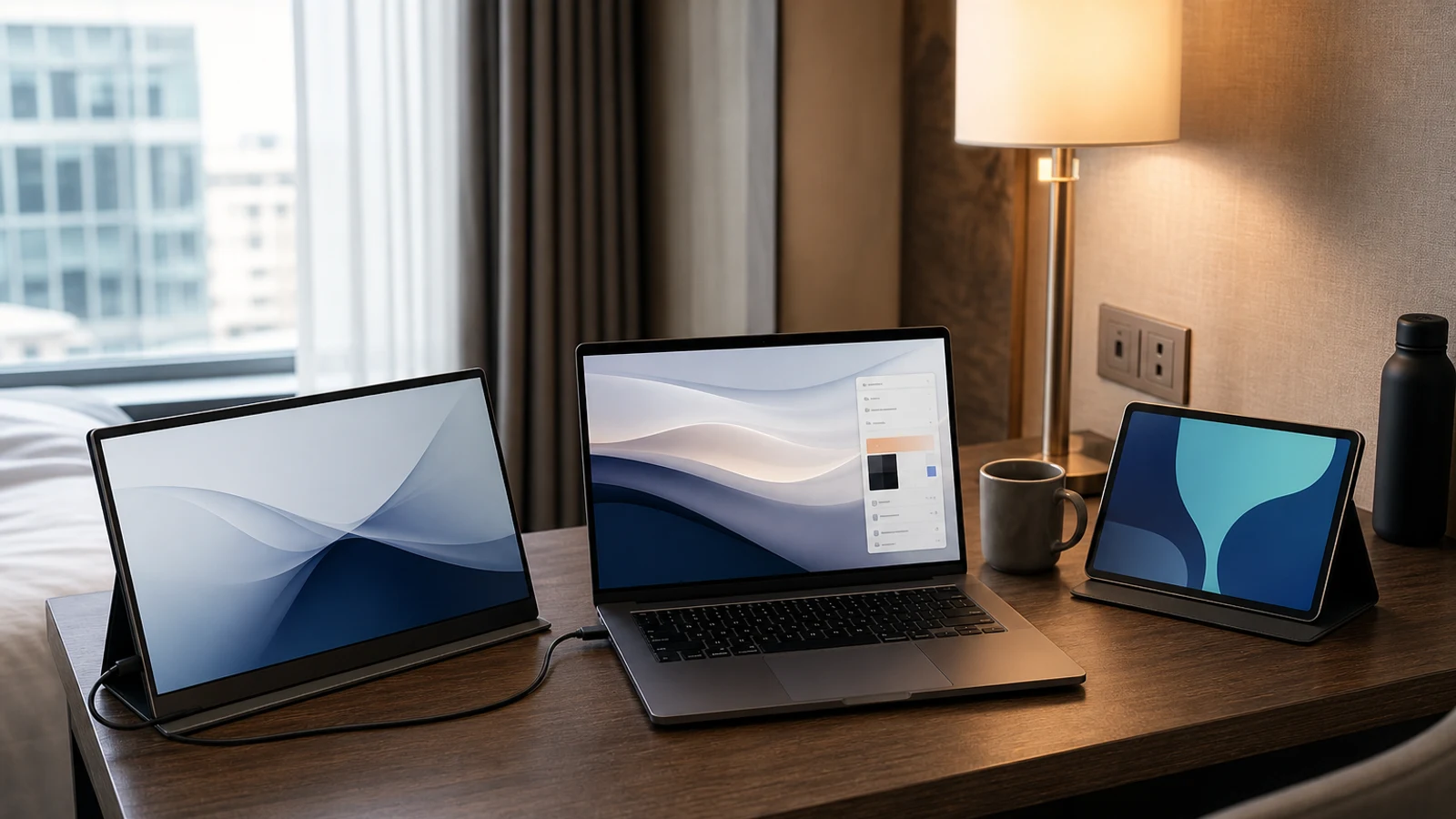
Portable Monitor Vs. Tablet As A Second Screen
| Decision Point | Portable Monitor | Tablet |
|---|---|---|
| Primary purpose | Designed to receive video from another device | A standalone computer that can also act as a display |
| Setup | Usually cable-first and straightforward | May require Sidecar, Second Screen, wireless display, or third-party software |
| Compatibility | Broad when the laptop has USB-C video or HDMI output | Depends on tablet model, computer, operating system, and supported feature |
| Latency | Generally predictable over a direct cable | Wireless connections can add delay; wired support is model-specific |
| Touch and pen input | Only available on touchscreen models | Usually built in, though input behavior depends on the second-screen mode |
| Power | May draw power from the laptop or need a separate charger | Uses its own battery, which can add flexibility but requires charging |
| Beyond second-screen use | Mostly limited to display duties | Can run apps, read, stream, take notes, and work independently |
| Best fit | Frequent second-screen work across one or more computers | Existing tablet owners and people who want a multifunction device |
A second screen can make a laptop workspace feel dramatically less cramped, but the best way to add one is not always obvious. A portable monitor is purpose-built for the job. A tablet is more flexible, but it relies on compatible software and may not behave exactly like a conventional monitor.
The practical choice comes down to whether you want a display or another computer that can sometimes serve as a display. If your priority is predictable setup, direct connections, and frequent use with different laptops, a portable monitor usually makes more sense. If you already own a compatible tablet, value touch and pen input, or want a device that remains useful away from your computer, using the tablet may avoid buying another screen.
This guide focuses on the decision factors that matter in real travel, home-office, student, and hybrid-work setups rather than treating one category as universally better.
The Biggest Difference Is The Connection Method
Portable monitors normally accept a video signal through USB-C DisplayPort Alt Mode, HDMI, or both. With a compatible laptop, one USB-C cable can carry the picture and sometimes enough power to operate the monitor. Other combinations may require a second cable, a wall charger, a hub, or a mini-HDMI adapter.
The word “USB-C” alone is not enough to confirm compatibility. A USB-C port can support charging and data without supporting video output. Before buying, check the laptop’s specifications for DisplayPort Alt Mode, Thunderbolt, or USB4 display support. If the laptop only has HDMI, look for a portable monitor with HDMI input and confirm what cable or adapter is included.
A tablet used as a second screen depends on a software feature rather than only a video input. On a Mac, compatible iPads can use Sidecar to extend or mirror the Mac desktop. Certain Galaxy tablets can use Samsung’s Second Screen feature with supported Windows PCs. Other tablet-and-computer combinations may require an app, wireless display support, or a compatible cable connection. That makes the tablet route more variable from one setup to another.
Choose A Portable Monitor If You Want The Least Friction
A portable monitor is the more straightforward choice when the second screen is a regular part of your workflow. You connect it, select extend in the computer’s display settings, and use it like another monitor. There is no tablet operating system competing for attention and no need to decide whether the display should be used as an independent device.
This matters for spreadsheets, reference documents, project dashboards, chat windows, and other tasks where you want a stable extended desktop for hours at a time. A direct cable connection also tends to be easier to troubleshoot than wireless screen sharing, especially in hotels, offices, classrooms, or coworking spaces with crowded networks.
A monitor is also more practical if you switch between a work laptop, personal laptop, mini PC, or gaming handheld. Models with USB-C and HDMI inputs can cover more source devices than a tablet’s built-in second-screen feature. That flexibility can justify the monitor’s dedicated design even if a tablet appears more versatile on paper.
Choose A Tablet If You Already Own One Or Need More Than A Display
A tablet can be a smart second-screen choice when it is already part of your device ecosystem. An iPad owner using a compatible Mac may be able to activate Sidecar without purchasing a separate monitor. A Galaxy Tab owner with a supported Windows setup may have a similar built-in path through Second Screen. In either case, the tablet can switch back to normal use when the work session ends.
The tablet option is especially appealing for reading, handwritten notes, sketching, video calls, media, and light travel tasks. Touch input and pen support can be useful when reviewing a document, annotating a design, marking up a PDF, or controlling an app that benefits from direct interaction. A conventional portable monitor may require a separate touchscreen model to offer similar input.
The trade-off is that the tablet is using its battery and operating-system resources. Depending on the connection method, the computer may need extra software, both devices may need to be on the same network, or the tablet may remain in a special second-screen mode. A tablet is flexible, but flexibility can mean more compatibility checks.
Compatibility Checks Before You Buy
The most common buying mistake is choosing the screen first and checking the computer afterward. Start with the laptop or desktop that will drive the second display, then verify the exact connection path.
For a portable monitor, check
- Does the computer’s USB-C port support video output, not just charging and data?• If using HDMI, does the computer have full-size HDMI, micro-HDMI, or only USB-C?• Will one cable carry both video and power, or will the monitor need a charger?• Does the monitor support the resolution and refresh rate you expect?• Is the included stand stable in the positions you use?• Will a hub or dock reduce the number of free ports you need for other accessories? For a tablet, check:• Is the tablet model supported by the computer’s native second-screen feature?• Does the computer meet the required operating-system and wireless-display requirements?• Is the connection wired, wireless, or dependent on third-party software?• Can the tablet be used in portrait orientation if that matters for documents or code?• Will touch or pen input work in the mode you intend to use?• Does your employer allow the required app, account sign-in, or wireless connection?
Portable Monitor Trade-Offs
A portable monitor’s main advantage is focus. It is built to receive a signal, show the image, and stay out of the way. That usually makes it easier to use for long sessions and easier to share between computers.
The biggest limitation is that it is another piece of hardware with limited standalone value. It generally cannot replace a tablet for reading, streaming, drawing, or app use. It may also require careful cable management because some models need separate video and power connections.
Size changes the experience. A compact display packs easily but may not provide much more usable workspace than the laptop itself. A larger 15- or 16-inch model is more comfortable for side-by-side work but adds weight and takes more room on a narrow hotel or café table. A monitor with a built-in kickstand or protective cover can simplify setup, but the cover may add bulk to your bag.
Tablet Trade-Offs
A tablet offers more ways to use the same piece of equipment. You can disconnect it from the laptop and use it for reading, note-taking, entertainment, travel planning, or video calls. That broader utility can make the purchase easier to justify if you do not need a second screen every day.
The limitations are less visible until you try to use the tablet as a monitor. Wireless modes can introduce delay or depend on network conditions. The tablet may need to stay unlocked or in a specific app. Some models support second-screen features only with particular operating systems or computer brands. A feature listed as “second screen” does not necessarily mean universal compatibility.
There is also an opportunity-cost question. If the tablet is your only device for notes, communication, or entertainment, using it as a second display may make it unavailable for those tasks. A dedicated monitor avoids that conflict.
What About Image Quality, Size, And Touch?
Neither category automatically wins every display-quality comparison. Portable monitors are available in compact 1080p formats as well as higher-resolution, high-refresh, touchscreen, and OLED designs. Tablets often have sharp screens and strong viewing angles, but their aspect ratios may be better suited to reading or app use than to matching a laptop’s desktop layout.
For office work, resolution and text clarity matter more than headline refresh rate. A 13- to 16-inch screen with comfortable scaling may be more useful than a smaller ultra-high-resolution panel that makes menus and text difficult to size. For gaming, confirm that the laptop or handheld can actually drive the monitor at the desired refresh rate and resolution.
Touch is not automatically better. It helps when you annotate, draw, scroll, or interact directly with a compatible app. It adds less value if the second screen will only show email, a spreadsheet, or a video call. On a tablet, touch may also behave differently in second-screen mode than it does in the tablet’s normal operating system.
Power, Cables, And Travel Setup
Power is often the deciding factor for mobile use. A portable monitor powered from the laptop can increase battery drain, particularly at higher brightness. A monitor that needs a wall adapter adds another item to pack, but it may preserve the laptop’s battery when an outlet is available.
A tablet has its own battery, which can make the setup more independent. However, the tablet still needs charging, and using it as a live display can consume power faster than ordinary reading or browsing. Wireless operation can also add battery demands on both devices.
Think about the actual surface where you will work. A monitor with a reliable cover stand may fit beside a laptop on a small table. A tablet may need a separate stand or case to reach a comfortable viewing angle. If you work from a sofa, airplane tray, or cramped kitchen counter, a stable angle can matter more than a small difference in screen specifications. For broader desk planning, a home-office setup guide can help you consider the screen, chair, keyboard, and cable layout together.
When A Tablet Is The Better Value
A tablet is usually the better value when you already own a compatible model and only need a second screen occasionally. In that situation, the incremental cost may be limited to a cable, stand, or case. An existing iPad can be particularly convenient for a Mac user who can use Sidecar, while supported Galaxy tablets can be useful in compatible Windows environments.
A new tablet is harder to justify solely as a second screen. You are paying for a complete mobile computer, including storage, cameras, speakers, a battery, and an operating system, even if most of those features will not be used. If the tablet’s independent functions do not matter to you, a portable monitor is usually the more efficient purchase.
The catalog Apple iPad 10th Generation is an example of the kind of multifunction tablet shoppers may consider, but its suitability as a second display depends on the exact Mac, operating-system support, connection method, and the buyer’s need for a standalone tablet. Treat the tablet’s second-screen ability as one feature, not a guarantee that it replaces every portable monitor.
When A Portable Monitor Is The Better Value
A portable monitor is often the better value when you will use the second screen several times per week, carry it between work locations, or connect it to more than one computer. Its cost is concentrated on the display and connection hardware rather than on features you may not need.
It is also the safer choice for managed work devices. Company laptops may block third-party display apps, restrict account sign-ins, or limit wireless-device pairing. A monitor connected through an approved USB-C dock or HDMI port may avoid those software and policy complications, although workplace restrictions can still vary.
Do not buy a portable monitor just because a larger workspace sounds appealing. If your laptop already has a generous display and your work consists mostly of one application at a time, a better keyboard, mouse, stand, or chair may improve comfort more than an additional panel. A second screen is most valuable when it reduces repeated window switching.
Which One Should You Buy?
Choose a portable monitor if
- You want a dedicated second screen with predictable setup.• You use Windows, macOS, or multiple computer types and need broader compatibility.• You prefer a direct wired connection with consistent responsiveness.• You will use the screen frequently for documents, spreadsheets, coding, communication, or gaming.• You do not need the second device to run apps independently.
Choose a tablet if:• You already own a compatible iPad or Galaxy Tab.• You want touch, pen input, reading, streaming, or note-taking in addition to second-screen use.• You are comfortable checking device-specific compatibility before buying.• You want one device that can work independently when the laptop is closed.• You use a platform with a polished built-in feature such as Sidecar or a supported Second Screen mode.
The Bottom Line
For most people buying specifically for a second screen, a portable monitor is the simpler and more dependable answer. It is purpose-built, works across more source devices when the ports match, and avoids turning a tablet into a temporary peripheral.
A tablet makes more sense when it is already in your bag or when its independent features are central to the purchase. Mac users with a compatible iPad have one of the clearest tablet use cases, while Windows buyers should verify the exact tablet, PC, operating-system, and connection requirements before assuming the feature will work.
The best choice is the one that matches your workflow frequency. If the extra display will be used nearly every workday, buy for reliability and connection flexibility. If it will be used occasionally and you also want a reading, note-taking, or entertainment device, a tablet may deliver more value without adding another single-purpose screen.
Go Deeper Before You Choose
For more context, see Home Office Essentials.
Relevant Product
One catalog product is directly relevant to this decision. It is shown as a reference point, not as a universal winner. Current price, seller and availability should always be confirmed on Amazon.

Apple iPad (10th Generation)
A versatile tablet for browsing, streaming, and light work.
View on AmazonResearch References
These sources informed the factual background for this guide. BuyingView applies its own editorial judgment to the purchase decision.
Questions & Answers
Useful follow-up questions that often change the buying decision.
Can any tablet be used as a second monitor?
No. Support depends on the tablet model, the computer’s operating system, the connection method, and whether the devices support a native or third-party second-screen feature. Check compatibility before buying.
Is a portable monitor better than an iPad as a second screen?
It depends on the use case. A portable monitor is usually better for frequent, direct, plug-in use and compatibility with multiple computers. An iPad can be better if you already own one, use a compatible Mac, and also want touch, pen, reading, and app functionality.
Does using a tablet as a second screen cause lag?
It can. Wireless display modes may introduce more delay or depend on network conditions. A direct portable-monitor connection is generally more predictable, but the actual result depends on the computer, cable, display settings, and software.
Do portable monitors work with every USB-C laptop?
No. The laptop’s USB-C port must support video output, commonly through DisplayPort Alt Mode, Thunderbolt, or USB4 display support. A USB-C port that handles only charging and data will not drive a USB-C portable monitor without another video path.
Should I buy a tablet specifically to use as a second monitor?
Usually only if you also want the tablet’s independent features. If second-screen use is the main goal, a portable monitor is often the more focused purchase. A new tablet can be worthwhile when you also need reading, note-taking, drawing, streaming, or mobile apps.
What size portable monitor is practical for travel?
A smaller display is easier to pack but provides less additional workspace. A larger 15- or 16-inch model is generally more comfortable for side-by-side work but takes more room and adds weight. Match the size to your laptop, bag, and typical work surface rather than choosing by screen size alone.