Laser vs Inkjet Printer for Home: Which Costs Less to Live With?
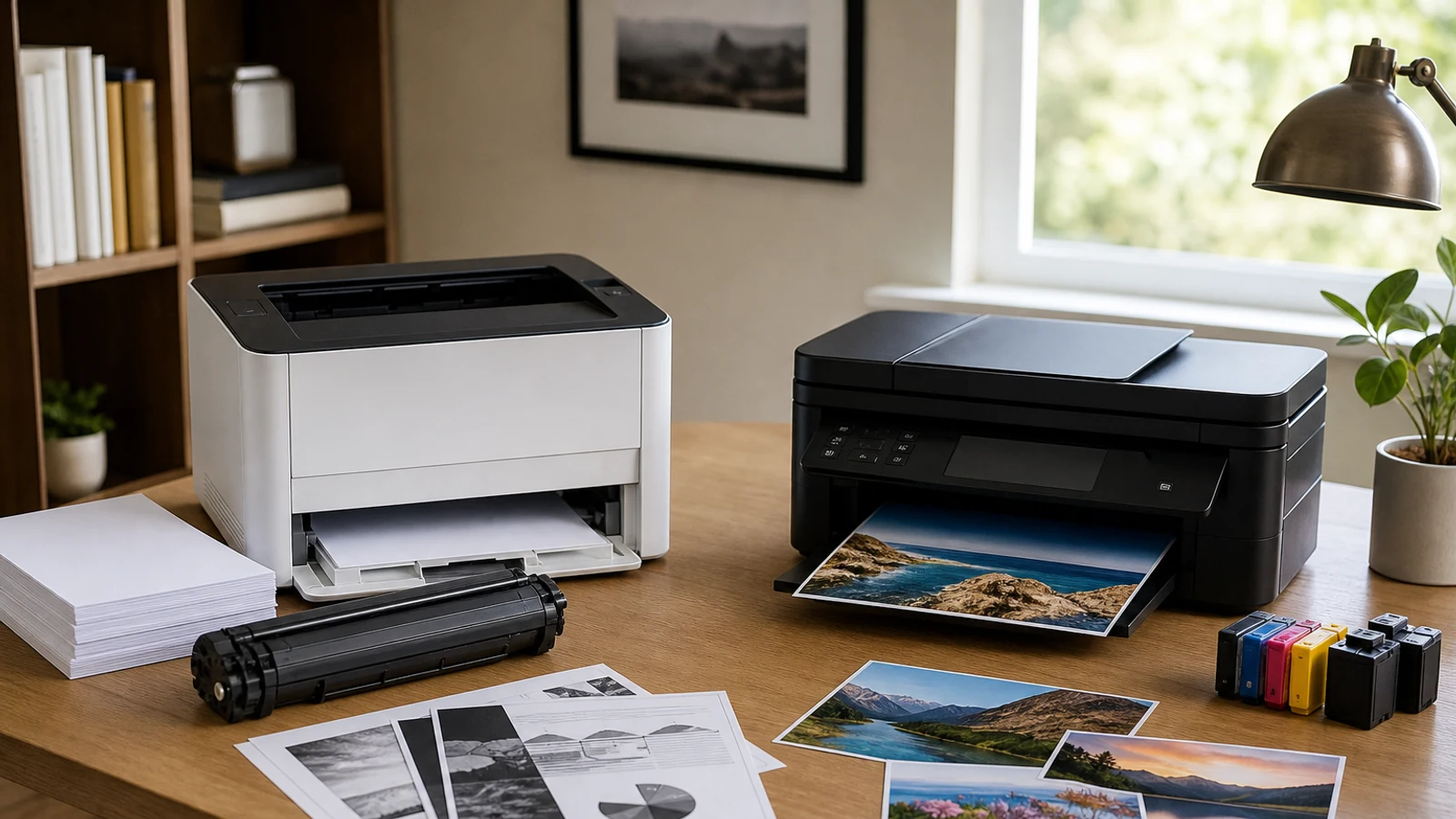
Laser vs Inkjet At A Glance
| Decision Point | Laser Printer | Inkjet Printer |
|---|---|---|
| Best For | Frequent black-and-white documents | Color graphics, photos, and mixed printing |
| Upfront Cost | Often higher, especially for all-in-one models | Often lower for cartridge-based models |
| Running Cost | Usually lower for regular text printing | Can be high with standard cartridges; lower with ink tanks |
| Print Speed | Generally faster for document batches | Usually better suited to light or mixed-volume use |
| Idle Periods | Toner does not dry out | Liquid ink can dry or require cleaning after long gaps |
| Output Quality | Very sharp text and clean business documents | Better color blending and photo output |
| Maintenance | Toner and sometimes drum or fuser replacement | Cartridge changes, printhead cleaning, and possible clogging |
The cheapest printer to buy is not always the cheapest printer to live with. A low-priced cartridge inkjet may look attractive at checkout, but replacement cartridges, automatic cleaning cycles, and the inconvenience of running out of one color can make it expensive over time. A monochrome laser printer may cost more initially, yet often delivers a simpler ownership experience for households that mostly print text.
The important exception is color. Inkjet printers remain the more versatile choice for photos, colorful school projects, invitations, charts, and documents that use broad areas of color. Newer ink-tank models also change the cost calculation by replacing small cartridges with refillable reservoirs.
The practical answer is not that laser is always better or inkjet is always cheaper. It is that each technology favors a different household workflow.
Start With What You Actually Print
Before comparing printer brands, look at the last month of printing. Count ordinary documents separately from color pages, photos, labels, and scanning or copying tasks. A printer that matches your most common job will usually cost less and feel easier to use than a more capable model that is optimized for someone else’s workload.
Choose A Laser Printer If
paragraphs_appendix_placeholder
Laser Printers: Where They Usually Make More Sense
Laser printers use toner rather than liquid ink. A monochrome laser model is designed around black text, which makes it a strong fit for forms, reports, invoices, return labels, reading material, and work-from-home documents.
The main advantage is predictable document printing. Toner does not dry out while sitting in the printer, and laser models generally handle batches of text pages quickly. Text also tends to look crisp, especially at small sizes, with less risk of smearing immediately after printing.
A basic monochrome laser printer can be a particularly sensible choice for a household that prints intermittently but wants the printer to work when needed. If the printer sits unused for several weeks, toner is less likely than liquid ink to create a clogged-printhead problem. That does not make a laser printer maintenance-free: paper dust, rollers, drums, and other replaceable components still matter over the life of the machine. However, the routine is usually less centered on keeping liquid ink flowing through the printhead.
Choose Laser If Your Priority Is Low-Cost Text
A laser printer is usually the better financial fit when most of your pages are black-and-white and you print often enough for supply costs to matter.
- You print work documents, forms, school papers, or shipping labels regularly
- You care more about sharp text than photo quality
- You sometimes leave the printer unused for weeks
- You want fast multi-page jobs
- You would rather replace toner less often than manage several ink cartridges
- You do not need color from the same machine
A monochrome laser printer may also be a good second printer for a home that already owns a photo-capable inkjet. That two-printer setup can make sense when color printing is occasional but text printing is routine. It does take more shelf space and adds another device to maintain, so it is most practical for households with clearly different printing needs.
Inkjet Printers: Where They Still Win
Inkjet printers spray liquid ink onto the page and remain the more flexible option for color. They can produce smooth gradients, detailed illustrations, borderless prints, and more natural-looking photos than most basic laser printers. They also tend to support a wider range of media, such as glossy photo paper and certain specialty sheets, although the exact compatibility depends on the model.
An inkjet all-in-one can be convenient for a mixed-use household. One device may print homework, scan signed forms, copy identification documents, and produce occasional photos or color graphics. For many families, that versatility matters more than achieving the lowest possible cost on black text.
The catch is that “inkjet” covers two different ownership experiences. Traditional cartridge inkjets use replaceable cartridges that may be expensive relative to the printer. Ink-tank models cost more at the beginning but use refill bottles and are designed to reduce the cost of high-volume color printing. Treating those two categories as identical can lead to a misleading comparison.
Choose Inkjet If Your Priority Is Flexibility
An inkjet is often the better fit when your print jobs vary and color is part of the reason you own a printer.
- You print photos, colorful worksheets, invitations, or graphics
- You need one compact device for printing, scanning, and copying
- You print in relatively small batches
- You value lower entry cost more than the lowest long-term text cost
- You want broader paper and media flexibility
- You are willing to run occasional maintenance prints or follow storage guidance
If you print color frequently, look beyond basic cartridge models. An ink-tank printer can be a stronger long-term option for families, home businesses, or hobbyists that produce enough color pages to justify the higher initial purchase. It is still an inkjet, so it retains the color and photo advantages of liquid ink, but its supply economics are different.
Which Costs Less Over Time?
The right comparison is total cost of ownership, not just the price printed on the shelf. Add the printer, replacement supplies, paper, maintenance parts, and the value of your time when estimating the real cost.
For frequent black-and-white printing, monochrome laser usually has the clearest cost advantage. Toner cartridges commonly yield many pages, and the printer does not consume liquid ink during printhead-cleaning cycles. A cartridge inkjet may have a lower purchase price but require more frequent supply purchases, particularly if you print enough pages for the difference to accumulate.
For color printing, the answer is less straightforward. A traditional cartridge inkjet can become expensive, especially when a printer requires separate color cartridges and performs maintenance cleaning. An ink-tank model may cost more upfront but can substantially reduce the per-page cost of color over its intended supply life. A color laser printer can be efficient for color documents, but purchase price, replacement toner, and additional imaging components may make it a poor value for a light-use home printer.
Use Cost Per Page Carefully
Manufacturers typically calculate page yield under standardized conditions, but your actual results depend on how much of each page is covered, the print mode, paper type, cleaning cycles, and whether you print mostly text or images. A page filled with a dark chart is not economically equivalent to a lightly covered letter.
When comparing two models, check the yield and price of the exact replacement supplies rather than relying on the printer’s purchase price. Also check whether the listed yield refers to a standard or high-capacity cartridge. A printer that looks inexpensive may become less attractive if its replacement cartridges are small or unusually costly.
Subscription ink or toner programs can change the monthly math, but they also add account, connectivity, and plan restrictions. Treat a subscription as an optional purchasing arrangement, not as proof that the underlying printer is inexpensive.
Speed, Noise, And Space Matter At Home
Laser printers generally have the edge when you need to print a stack of documents quickly. That advantage is most noticeable with multi-page black-and-white jobs, not necessarily with a single occasional page. Some laser models also need room around the device for ventilation and may be heavier than compact inkjets.
Inkjet printers usually avoid the warm-up behavior associated with laser printing and can be quieter during light-duty use. Their all-in-one designs are often convenient for small desks, but paper paths, output trays, and scanner lids still require usable clearance. Measure the printer when open, not only when closed.
Think about the workflow around the printer. If it lives in a closet or cabinet, a model that requires frequent access for cartridge changes may be frustrating. If several people print from phones and laptops, wireless setup and mobile-app quality may matter more than a small difference in rated speed. If you scan regularly, an automatic document feeder can save more time than a faster print engine.
Reliability And Maintenance Trade-Offs
No printer type eliminates maintenance. Laser printers avoid dried liquid ink, but toner cartridges, drums, fusers, rollers, and paper-feed mechanisms can eventually need attention. Some all-in-one laser models also take up more room and cost more to replace if a major component fails.
Inkjet printers may require periodic cleaning to prevent blocked nozzles. Long periods of inactivity can be especially inconvenient with cartridge models because the printer may use ink during maintenance or produce a page with missing colors. If you print only a few pages per month, consider whether the convenience of color outweighs the risk of wasted supplies and maintenance routines.
Reliability also varies substantially by model, not only by technology. Read the manufacturer’s supply and maintenance documentation, check the warranty terms, and look for independent reliability or ownership data when available. Avoid choosing solely by headline print speed or the lowest advertised purchase price.
When Not To Buy Or Upgrade Yet
You may not need a new printer if your current device handles your normal jobs and your supply costs are acceptable. Replacing a working printer to gain a slightly faster rated speed rarely pays off for occasional home use.
Do not upgrade from inkjet to laser solely because you print a handful of black pages each month. The savings may take a long time to offset the purchase, especially if you also need scanning or color. Likewise, do not buy a color laser printer for occasional family photos simply because it sounds more advanced; a good inkjet is usually better suited to that output.
Before buying, check whether you can reduce waste by using duplex printing, draft mode for internal documents, grayscale for nonessential color pages, and high-capacity supplies. Sometimes a workflow change delivers more value than switching technologies.
A Practical Decision Checklist
Use this sequence to narrow the choice without getting trapped by brand comparisons.
- Mostly black text, regular document batches: choose a monochrome laser
- Mostly photos or colorful creative work: choose an inkjet
- Frequent color documents and concern about running costs: compare ink-tank models
- Occasional mixed printing with scanning and copying: compare compact inkjet all-in-ones
- Long periods of inactivity: favor laser, or carefully follow maintenance guidance for an inkjet
- Very limited desk space: compare the printer’s open dimensions and paper access
- Shared household use: prioritize wireless setup, automatic duplexing, and an adequate paper tray
- Lowest long-term cost: calculate supplies and expected volume before choosing the cheapest printer
For broader workspace planning, the home-office setup considerations in our home office essentials guide can help you decide whether a printer’s footprint and feature set fit the rest of your desk.
The Bottom Line
For most homes that primarily print text, a monochrome laser printer is the safer cost-and-convenience choice. It is fast, produces sharp documents, tolerates idle periods better, and generally avoids the recurring frustration associated with small ink cartridges and printhead cleaning.
Inkjet remains the better choice when color, photos, mixed media, or all-in-one flexibility are central to your routine. If you print a lot of color, focus on ink-tank models rather than assuming every inkjet has the same operating cost.
The best purchase is the one that matches your actual page mix. Count your black-and-white pages, color pages, and idle periods, then compare the complete supply costs for the specific models you are considering.
Go Deeper Before You Choose
For more context, see home office essentials guide.
Relevant Product
One catalog product is directly relevant to this decision. It is shown as a reference point, not as a universal winner. Current price, seller and availability should always be confirmed on Amazon.

HP OfficeJet Pro All-in-One Printer
Print, scan, and copy from a single home-office machine.
View on AmazonResearch References
These sources informed the factual background for this guide. BuyingView applies its own editorial judgment to the purchase decision.
Questions & Answers
Useful follow-up questions that often change the buying decision.
Is A Laser Printer Cheaper Than An Inkjet For Home Use?
Usually, if you print mostly black-and-white documents regularly. Laser printers often have lower text-printing costs and require less attention during long idle periods. A traditional cartridge inkjet may cost less upfront, while an ink-tank printer can be competitive for frequent color printing.
Which Is Better For Photos, Laser Or Inkjet?
Inkjet is generally better for home photos because it offers smoother color blending and broader photo-paper compatibility. Basic laser printers are better suited to text and business graphics than photo-quality output.
Is An Ink-Tank Printer Still An Inkjet?
Yes. An ink-tank printer is an inkjet that uses refillable reservoirs instead of conventional small cartridges. It keeps the color and photo strengths of inkjet printing while typically reducing supply costs for households that print enough color to use the included ink.
Do Laser Printers Dry Out If They Sit Unused?
Toner does not dry out in the same way liquid ink can. A laser printer can still collect dust or develop paper-feed issues, but long periods without printing are generally less problematic than with many inkjet models.
Should I Buy A Color Laser Printer For Home?
Only if you regularly print color documents in batches and value laser speed and text quality. For occasional color or photo printing, an inkjet is usually more flexible and may be a better value. Compare toner, drum, and replacement-part costs before buying.
What Printer Is Best For Occasional Home Printing?
The answer depends on the type of occasional printing. Choose a monochrome laser if the jobs are mostly text and the printer may sit unused. Choose an inkjet if you need color, photos, scanning, or copying from the same device.